Reimagining Cadillac Lyriq
CLIENT & CONTEXT
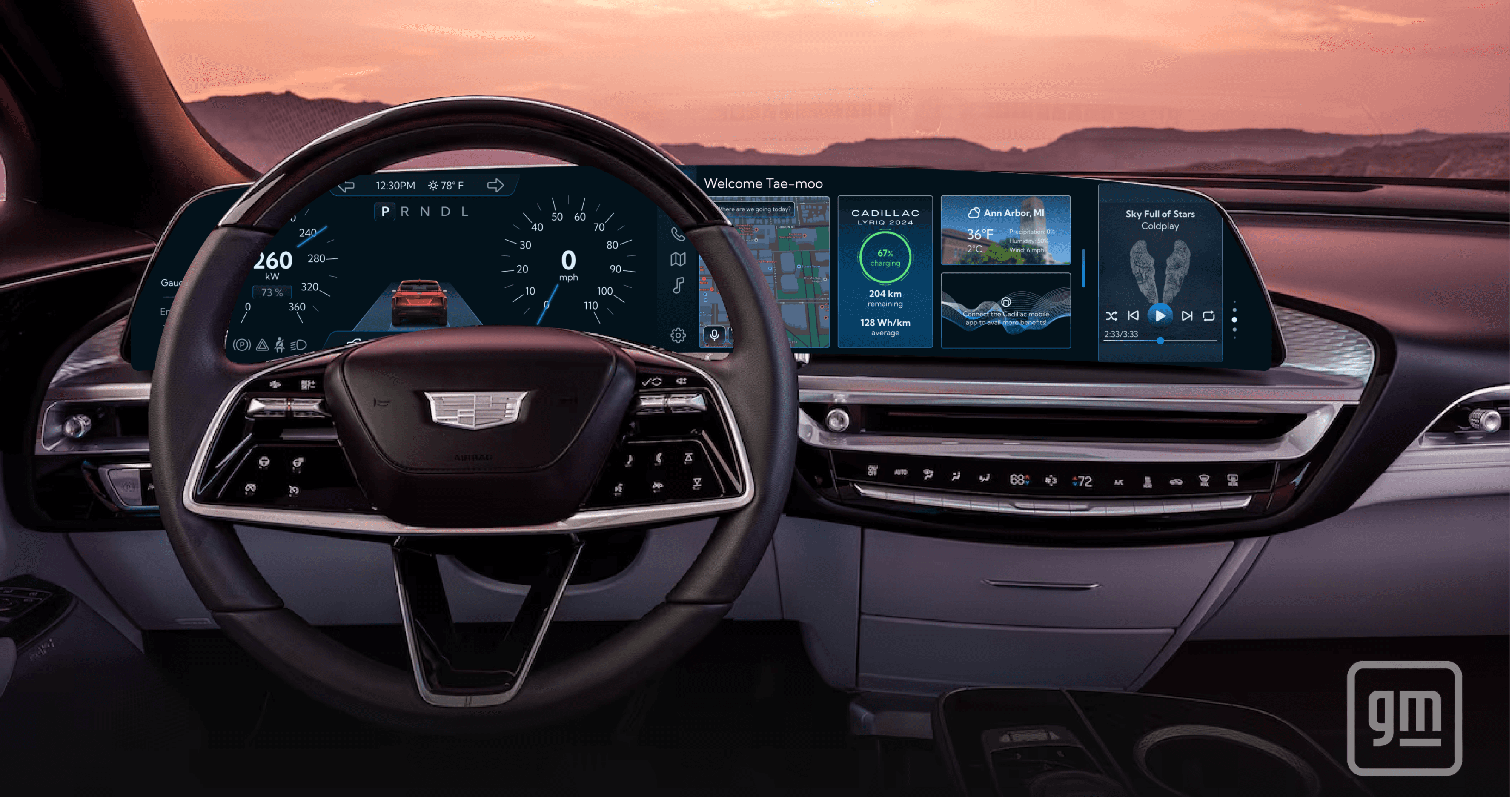
General Motors approached our cohort for ideas for each of their three vehicle segments: Mass-Market, Performance, and Luxury. The designs below are for the Luxury segment.
TIMELINE
Feb - May '24 | Jun '25
CONTRIBUTION
Wireframing, Prototyping, Customer Research, Information Architecture, UI Design
COLLABORATION
Hannah Mu
PROBLEM STATEMENT
How do we add value for the customer post-purchase?
SOLUTION
Luxury is an experience. With customizable themes, sustainability stats, and cohesive in-vehicle and mobile applications, we increase customer engagement and reinforce positive brand perception.
Theme Customization

Fig. 1:
Driver and center displays in Default Blue theme

Fig. 2:
Information architecture of driver and center displays
DRIVER DASHBOARD
To capture the elegance as well as electric nature of Lyriq, I used a blue monotonic theme. Gauges and alerts along with trip and navigation information have been presented minimalistically so the driver stays focussed on the road.
text
CENTER DISPLAY
An app selector for easy navigation and customizable widgets welcome the driver and the passenger. Driver centric data such as maps and charging is on the left (driver side) and more engaging content such as weather and music is on the right (passenger side).

Fig. 3:
User flow of adding a Custom Theme on Center Display

Fig. 4:
Car Controls with Custom Theme on Center Display

Fig. 5:
Music, HVAC, and Navigation (top to bottom) with Custom Theme on Center Display
Lyriq Mobile App

Fig. 6:
Lyriq mobile app in default and custom “SF Sunset” themes. The app is available for free with the vehicle purchase.
CAR CONTROL PRIOR TO ENTRY
The user can get latest news and app updates but moreover access their car locks and alarm, check their vehicle charge, and access any other menus such as HVAC. This is beneficial as users can get the in-vehicle climate to their liking before entering the vehicle.
text
COHESIVE CROSS-DEVICE EXPERIENCE
The theme applied within the vehicle is also reflected in the mobile app to provide a cohesive experience.
Sustainability (Eco Mode)
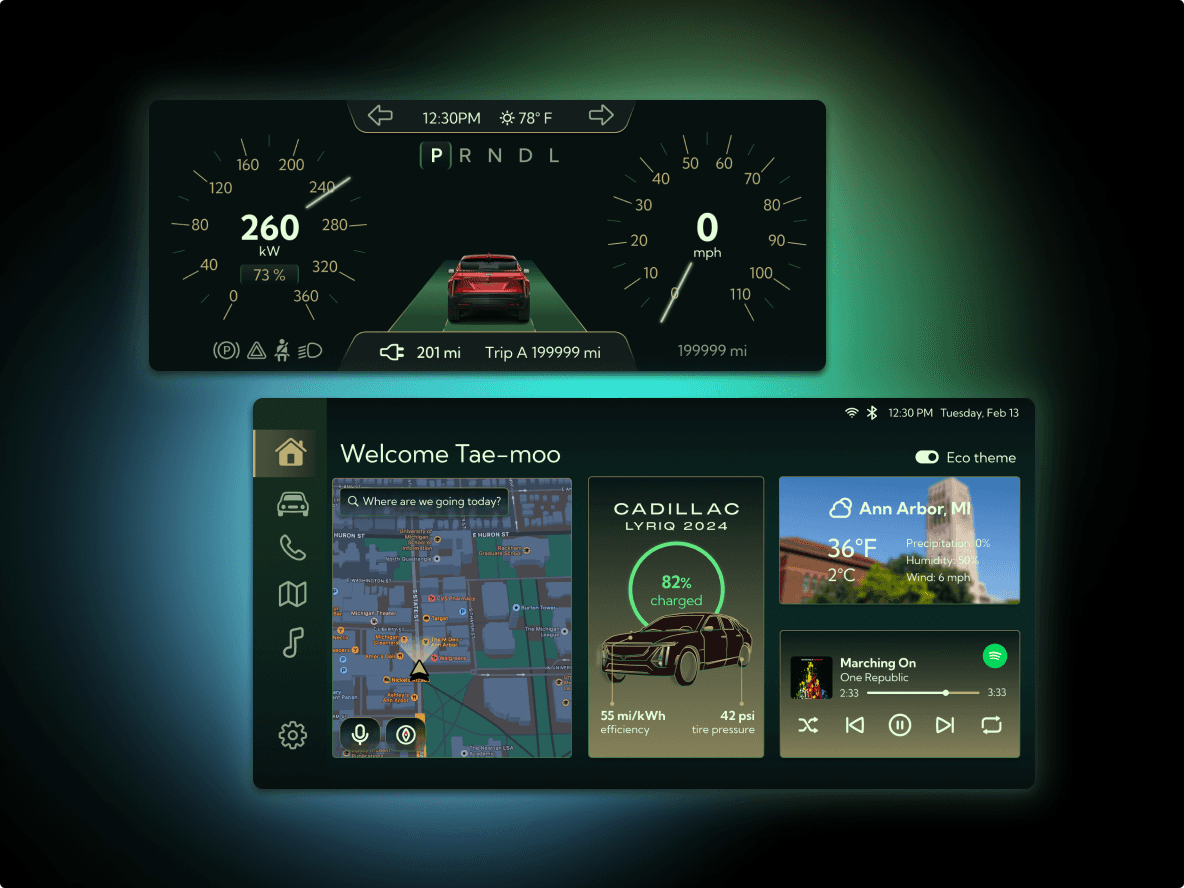
Fig. 7:
Driver and center displays in eco mode or sustainability theme
WIDGET CHANGE
Apart from changing the interface theme, the vehicle information widget changes to display details such as effect on charge efficiency and tire pressure by driving the code in eco.
text
RETENTION OF USER PREFERENCES
If the user wishes to drive in eco mode without giving up their custom theme, they can switch off the eco theme through the center display (top right corner).